setdown
Drop your Strong export. See your numbers.
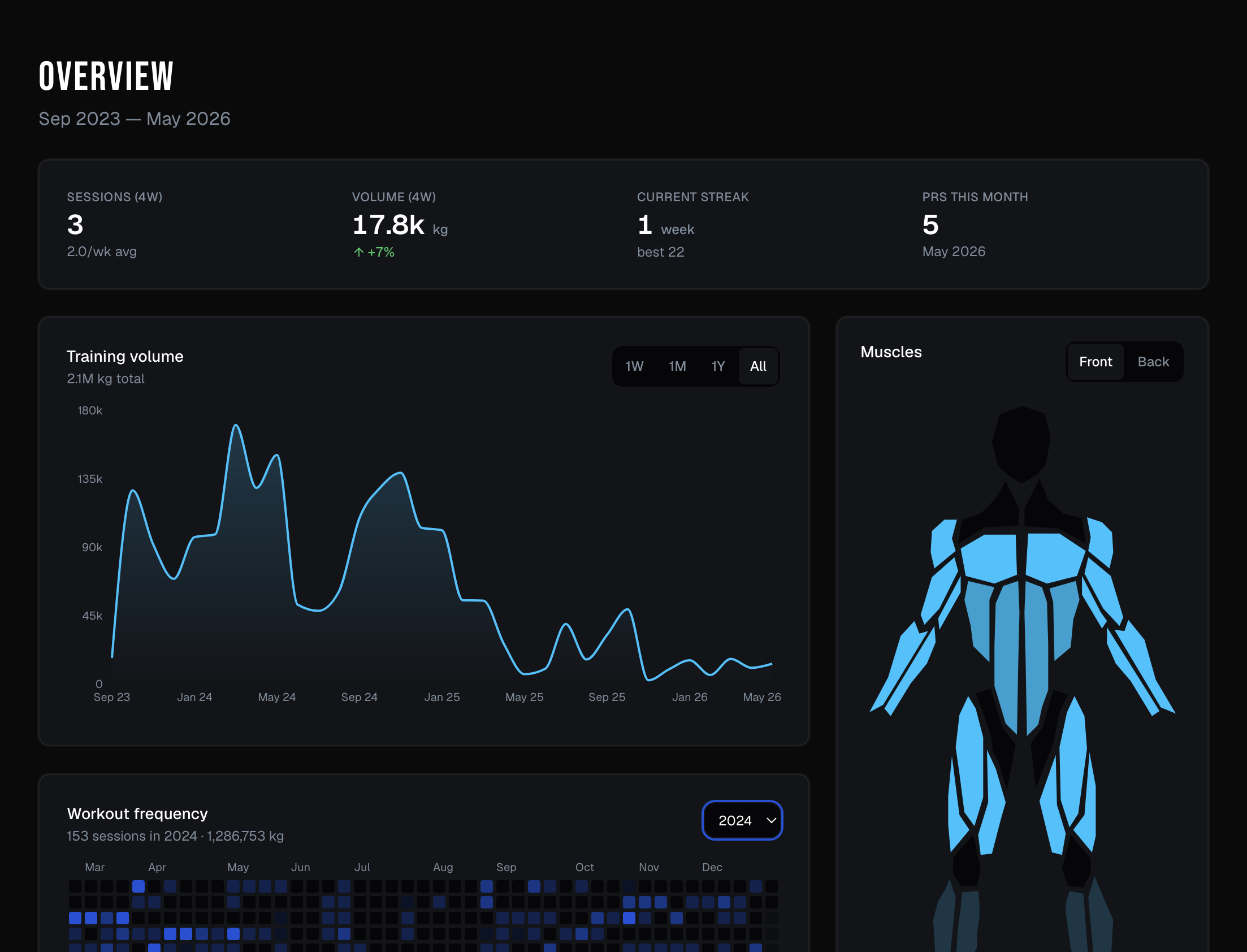
How to export from Strong
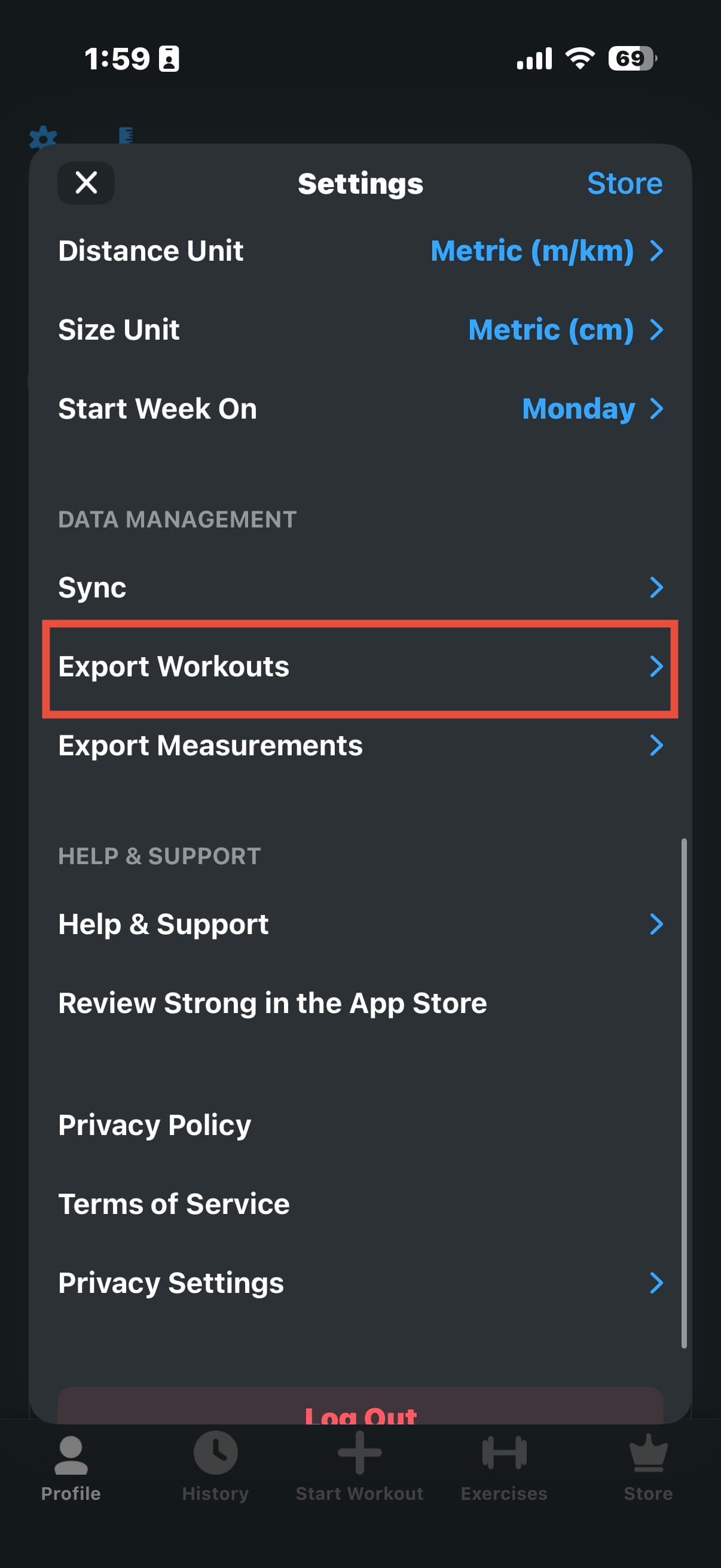
1. In Strong, open Settings and tap Export Workouts.
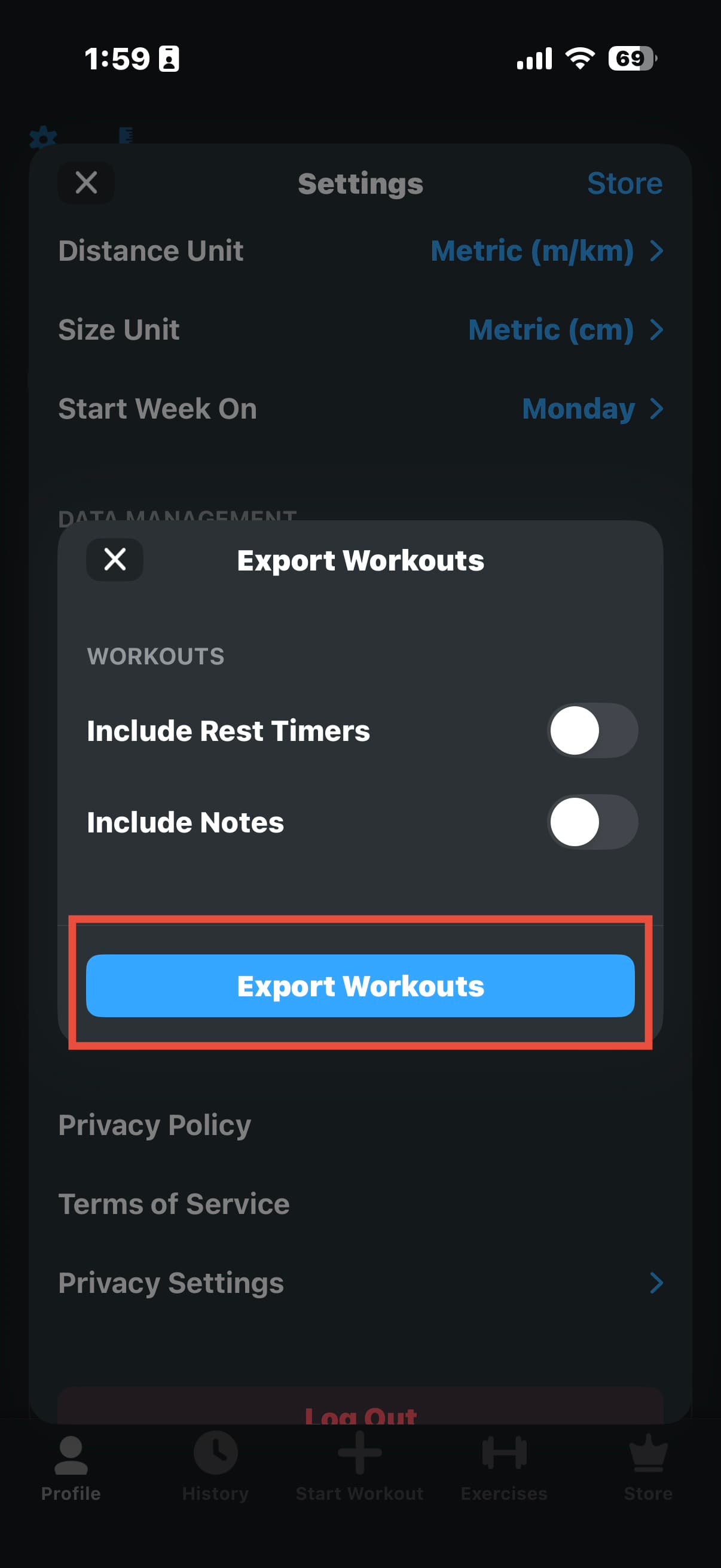
2. Tap the blue Export Workouts button.
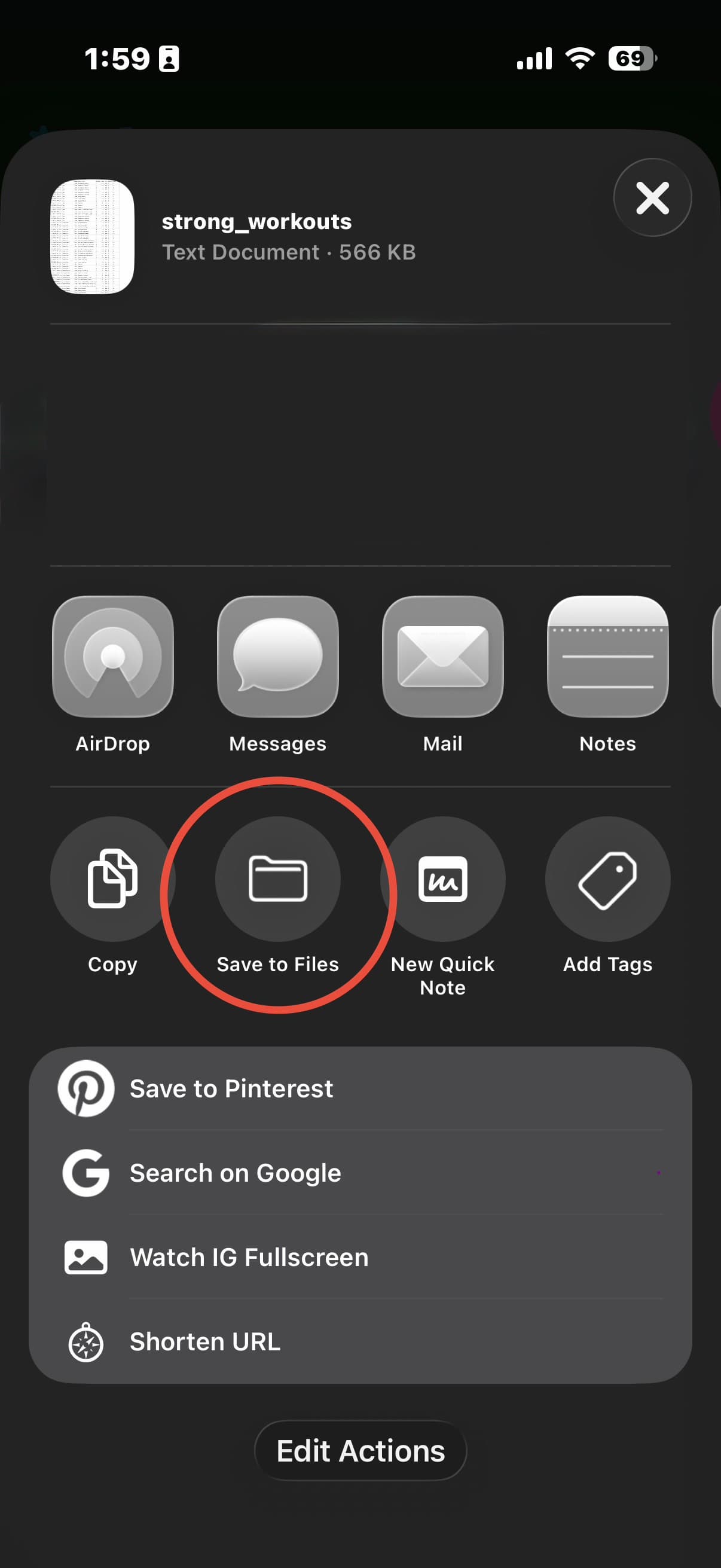
3. Choose Save to Files, then drop the CSV above.
Your data, your device
Your export is parsed right here in your browser and stored only on this device. Nothing is uploaded, and no account is required.